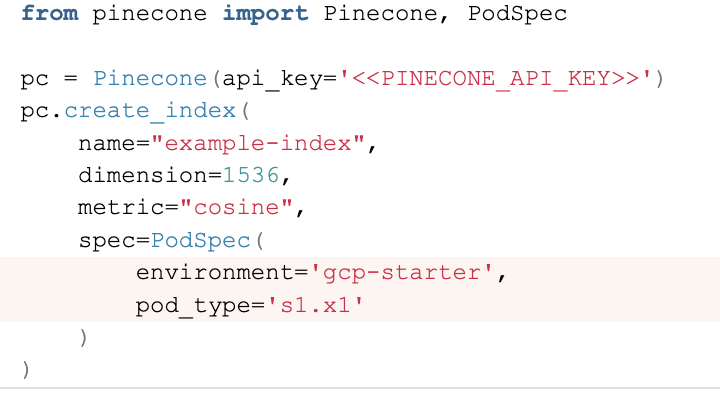
Pinecone documentation is quite good, but when I wanted to create a free pod index in Pinecone using Python, I didn’t know what parameters I should supply.
Continue reading Create a free pod index in Pinecone using Python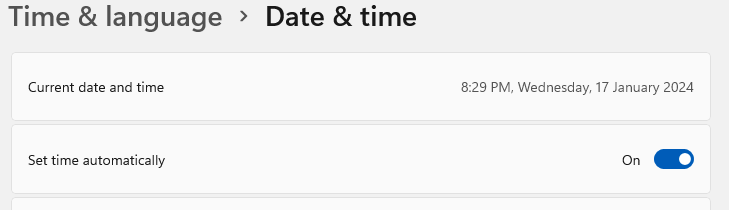
Fix time drift on UTM Windows VM
I mainly use Mac for work, but occasionally need access to a Windows box. I am using UTM to achieve that. I have noticed that if you leave your Windows VM running and then your host Mac goes to sleep (overnight for example), there will be a time drift on the VM. So here is how to fix time drift on UTM Windows VM.
Continue reading Fix time drift on UTM Windows VM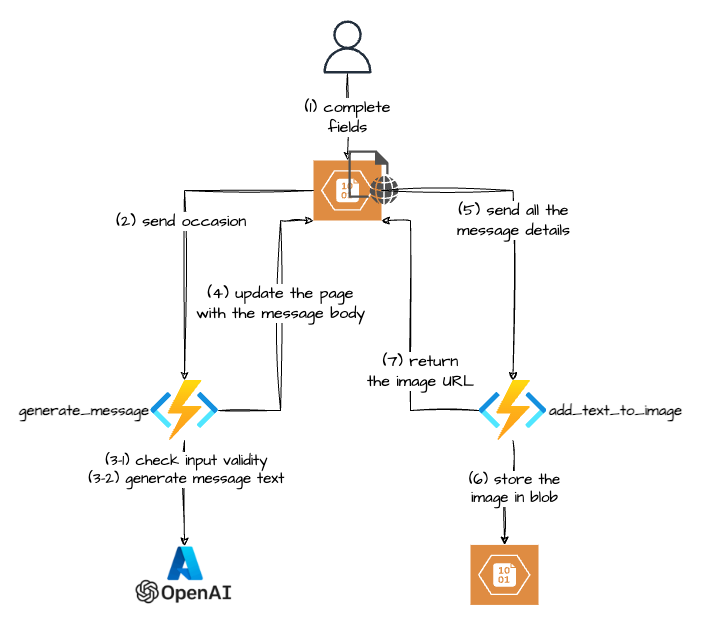
My first GenAI use-case
A couple of months ago my wife asked me if I could build her “something” to create a nice image with some thank-you text that she could send to her boutique customers. This is how my first GenAI use-case was born :-).
There are probably definitely services that can do it, but hey that was an opportunity to learn, so I jumped straight into it.
The Gen AI part turned out to be the easy one, but if you want to skip the rest you can jump straight to it.
Continue reading My first GenAI use-case
Getting ImageAnalysisResultDetails in Azure AI Vision Python SDK
Getting ImageAnalysisResultDetails in Azure AI Vision Python SDK.
Sometimes when using Azure AI Python SDK you will not get the expected result, meaning that the reason property of the result of the analyze method of the ImageAnalyzer class the property will not be equal to sdk.ImageAnalysisResultReason.ANALYZED.
Phew, that’s a mouthful, easier to show it code:
Continue reading Getting ImageAnalysisResultDetails in Azure AI Vision Python SDK
Azure: Invalid user storage id or storage type is not supported
I was trying to update my Azure Language service to enable Custom text classification / Custom Named Entity Recognition. That feature requires a storage account. While you are supposed to be able to create the storage account when you enable the feature it didn’t work for me 🙁 (I was getting an “Invalid user storage id or storage type is not supported” error).
Continue reading Azure: Invalid user storage id or storage type is not supported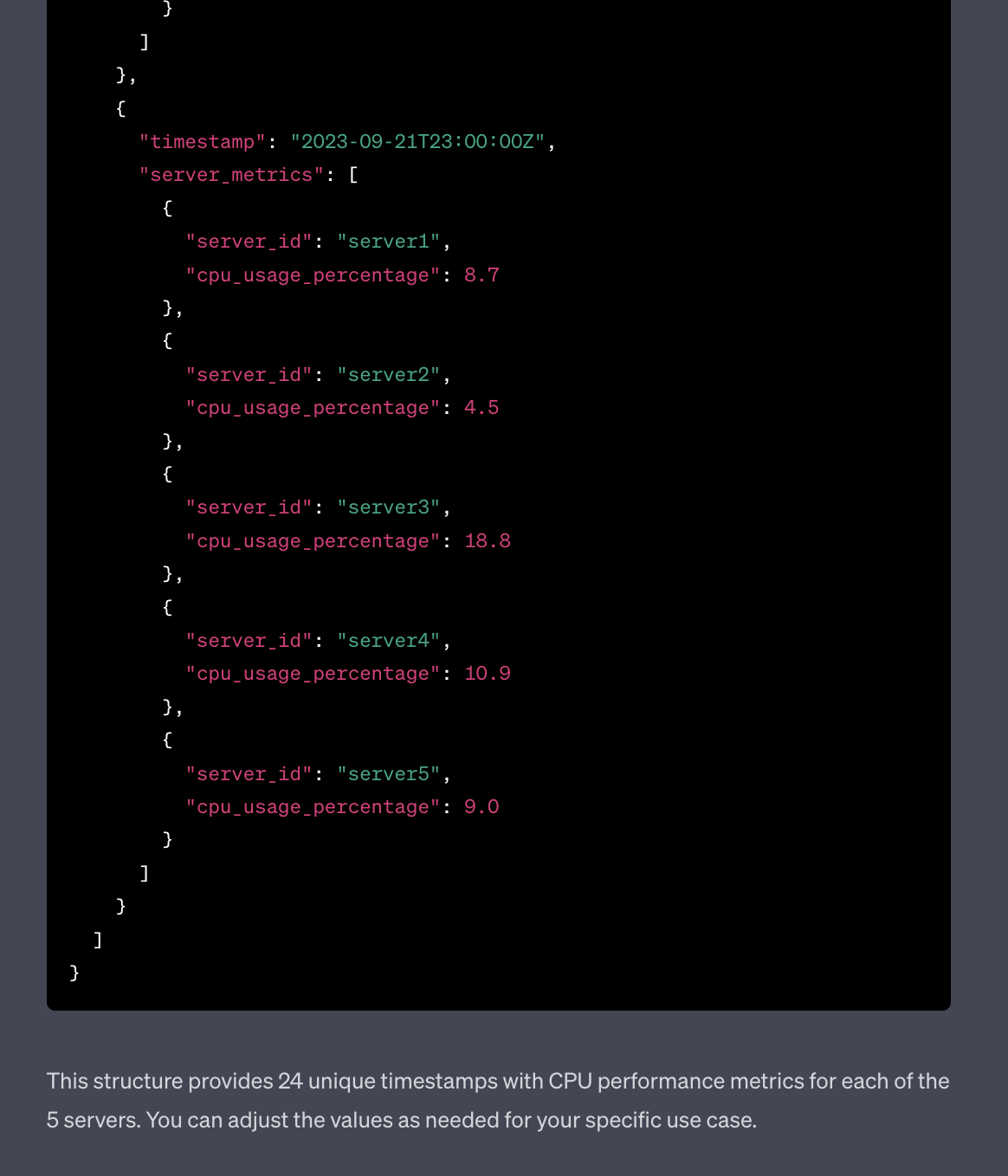
Use ChatGPT to generate sample monitoring data
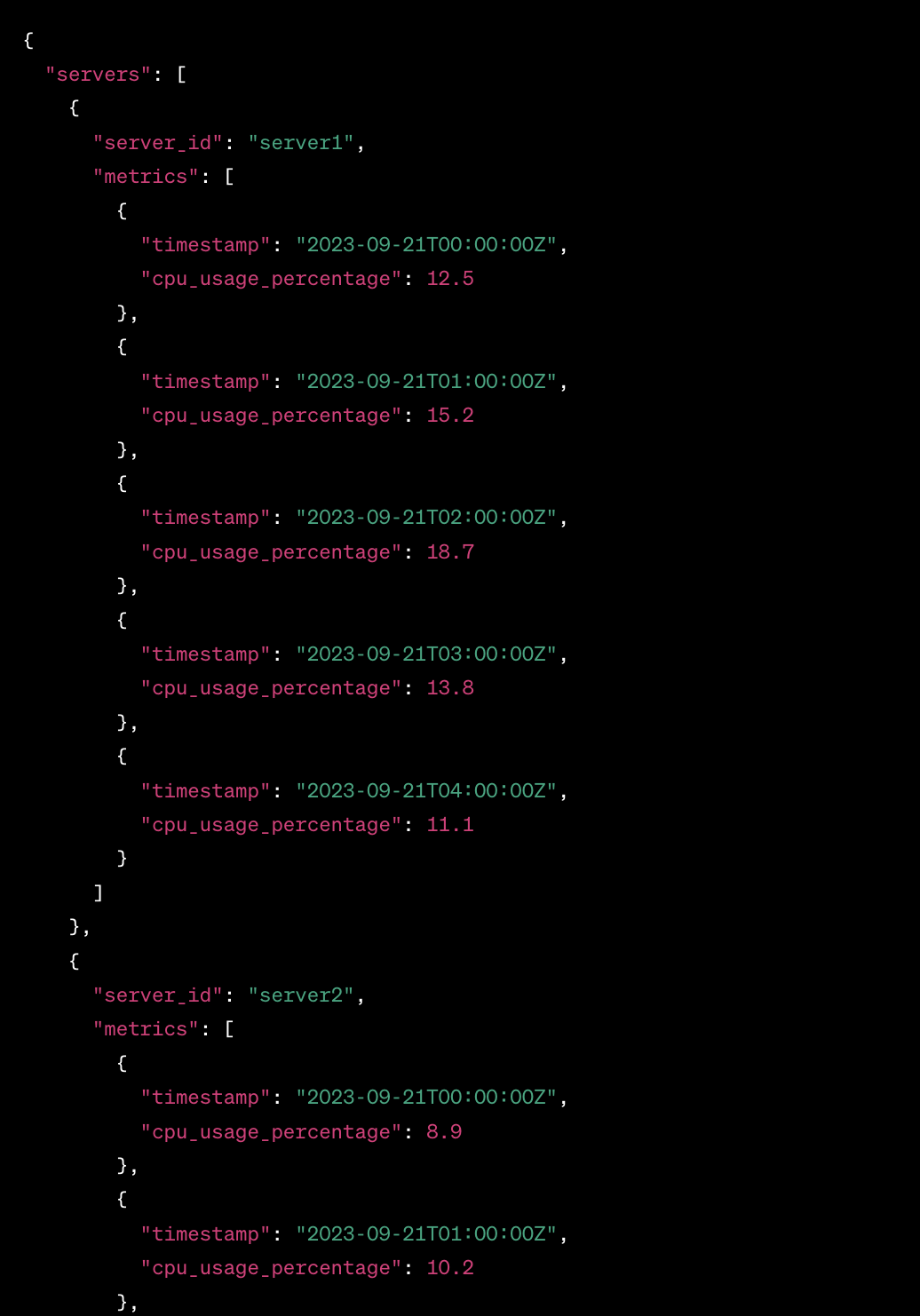
I wanted to get some sample data and was too lazy to use generators or to craft it by hand, so I decided to try and use ChatGPT to generate sample monitoring data.
Started with this prompt
act as an application and infracture monitoring platform synthetic data generator. All you responses need to be in a valid JSON format.
Generate CPU performance metrics for 5 servers over last 24 hours
The result was actually OK
Discovering the T2.social API
So I’ve joined T2 (now Pebble) to try it out and it was pretty quiet there at the beginning. It was a bit hard to see whom to follow and such. So I decided to look a bit behind the curtain and see if T2 Social has an API.
By the way, if you need an invite reach out to me either via comments here or on Twitter @IlyaReshet.
Is there a T2 official API?
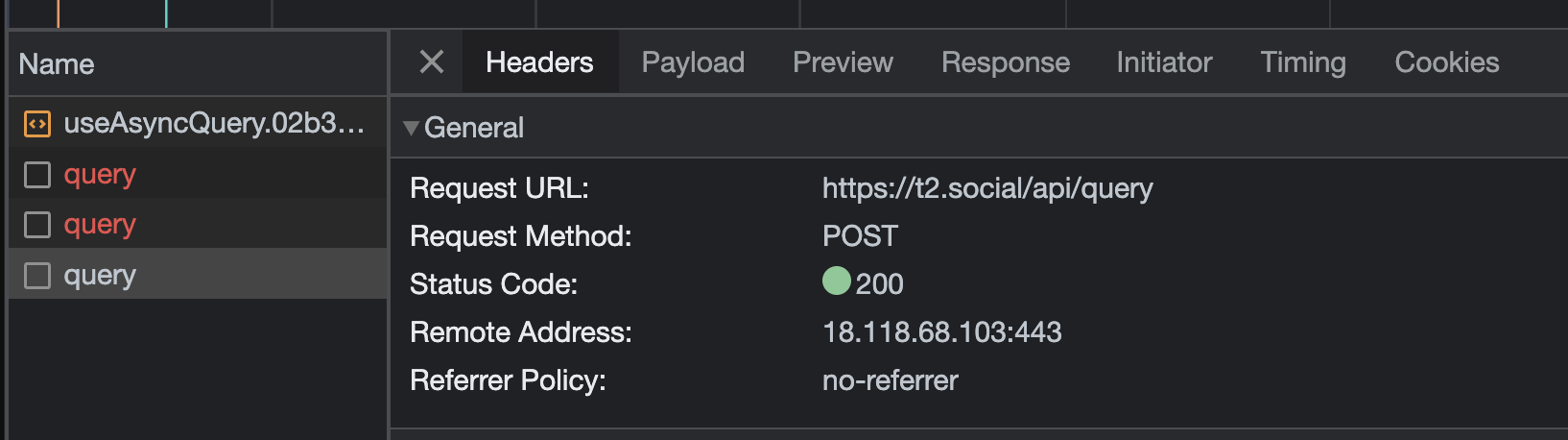
While there is no, official and documented API (at least at the time of writing which is the beginning of June 2023) that I could find I had an idea to look at the Network tab in the Chrome Developer Console
Continue reading Discovering the T2.social APIAdditional zoom levels for maps in Splunk
Splunk’s default Cluster Map’s maximum zoom level is 7, which will let you see major cities in a country.

Predicting multiple metrics in Splunk
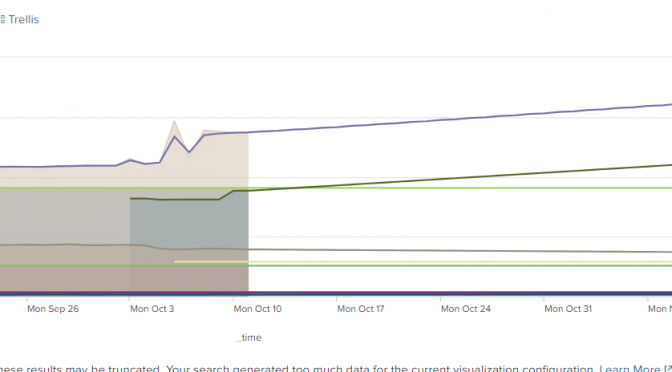
Splunk has a predict command that can be used to predict a future value of a metric based on historical values. This is not a Machine Learning or an Artificial Intelligence functionality, but a plain-old-statistical analysis.
So if we have a single metric, based on historical results we can produce a nice prediction for the future (of definable span), but predicting multiple metrics in Splunk might not be as straightforward.
Continue reading Predicting multiple metrics in Splunk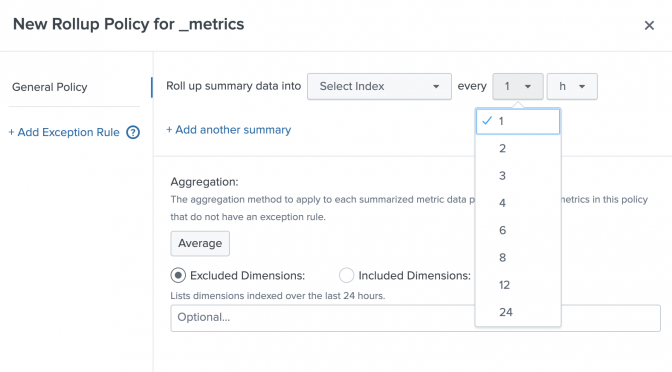
Splunk Failed to apply rollup policy to index… Summary span… cannot be cron scheduled
I started playing for Splunk Metrics rollups and but then tried to step out of the box and got a “Failed to apply rollup policy to index=’…’. Summary span=’7d’ cannot be cron scheduled” error.
Continue reading Splunk Failed to apply rollup policy to index… Summary span… cannot be cron scheduled